

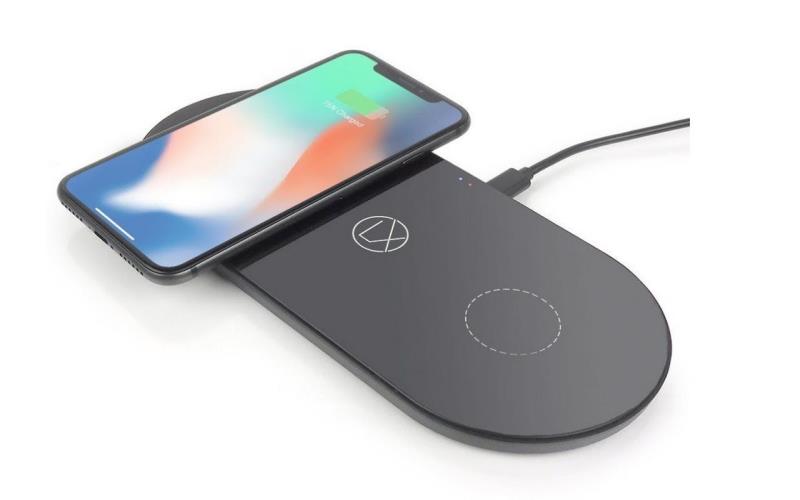
Wireless charging has become a staple feature in many smartphones and gadgets today. It’s convenient, cable-free, and perfect for nightstands, desks, or even your car. But not all wireless chargers are created equal. From charging speeds to compatibility, safety standards, and design, there are several factors to consider before buying one. Here’s everything you need to know to choose the best wireless charger for your needs.
1. Check Device Compatibility
Before anything else, make sure your device supports wireless charging. Most modern phones from Apple, Samsung, Google, and others now come with wireless charging capabilities, but not all models do.
Also, be sure your wireless charger is Qi-certified. Qi (pronounced “chee”) is the universal wireless charging standard adopted by nearly all phone manufacturers. A Qi-certified charger ensures broad compatibility and safety.
Bonus tip: If you’re buying for wearables (like smartwatches or earbuds), double-check that the charger supports those devices too — some only work with phones.
According to the article by Buy Guide to Mobile Accessories from AS2 website:
One of the most important things in a mobile accessory buying guide is checking the charger. Wireless charging is one of the types of charging that has many fans because it eliminates the hassle of wires. Phones that have the Qi standard can use this type of charger. In addition, if you have an Apple phone, it is better to look for a charger that supports MagSafe technology so that the charging process is completed faster. The most important thing when buying wireless chargers is that your phone supports the output power of the charger.
2. Know the Charging Speed
Not all wireless chargers deliver the same power. Charging speed is measured in watts (W) — and different phones support different maximum wattages.
Here’s a quick breakdown:
- iPhones typically support up to 5W.
- Samsung phones often support up to 10W or 15W.
- Google Pixel models support up to 12W (with Pixel-certified chargers).
- Other Androids may go up to 15W or more.
To get the fastest speeds, both the charger and your power adapter must support the desired wattage. For example, even if your wireless pad supports 15W, if you’re using a weak 5W power brick, your phone will charge slowly.
3. Don’t Forget the Power Adapter
Many wireless chargers don’t come with a wall adapter — just the charging pad and a cable. Be prepared to buy a separate power brick, and make sure it supports Quick Charge (QC) 3.0 or USB Power Delivery (PD) for fast charging.
Using a regular 5W adapter or plugging into your laptop USB port won’t give you the full wireless speed. Always check what’s recommended by the manufacturer.
4. Consider Charger Type and Placement
Wireless chargers come in different shapes and styles. Your choice should depend on how and where you plan to use it.
Flat Pads
These lie flat on a surface. Great for desks or nightstands, especially for overnight charging. You just place your phone on the pad and let it charge.
Stands
These prop your phone upright, perfect for working at a desk, video calls, or checking notifications. Some even support dual coils so you can place your phone vertically or horizontally.
Multi-Device Chargers
If you own multiple wireless gadgets (phone, earbuds, smartwatch), go for a 2-in-1 or 3-in-1 charger. They’re compact, efficient, and minimize clutter.
Car Mount Chargers
Ideal for drivers, these combine a phone mount with a wireless charger. Make sure it has a strong grip and supports fast wireless charging on the go.
5. Look for Heat Management and Safety Features
Wireless charging generates heat, and overheating can slow down the charging speed or damage your device over time.
Choose a charger with:
- Overheat protection
- Overcharge protection
- Foreign object detection (FOD) — stops charging if metal objects (like keys or coins) are detected
- Built-in fans or vents — in higher-powered models, to keep things cool
A Qi-certified product usually includes these features, but it’s still wise to double-check the specifications.
6. Think About Case Compatibility
Most wireless chargers can charge through cases, but not all of them — and not all cases are equal.
- Thin cases (under 3-5mm) generally work fine.
- Metal cases or those with magnetic mounts can interfere with charging.
- PopSockets or thick wallet-style cases may need to be removed before charging.
Look for a charger that advertises “case-friendly” charging, especially if you don’t want to remove your case every time.
7. Design and Aesthetics Matter
Your wireless charger will probably live on your desk, nightstand, or car dashboard — so it should look good and fit your space.
- Choose a color and finish that matches your style (black, white, wood, leather, etc.).
- Consider LED indicators — some chargers have subtle lights to show charging status, while others can be too bright for nighttime use.
- Think about size and portability if you plan to travel with it.
8. Brand Reputation and Warranty
With so many low-quality options flooding the market, brand reputation is important. Stick to trusted names like Anker, Belkin, Mophie, Spigen, Samsung, and Apple-certified products.
Read reviews and look for warranties. A one-year warranty is standard, but some brands offer extended protection or even lifetime guarantees.
9. Price vs. Value
Wireless chargers vary in price from $10 to $150, depending on features and brand. You don’t need to break the bank, but the cheapest options might cut corners on safety and performance. A good single-device Qi charger usually costs $20–$40. Multi-device or MagSafe-compatible chargers might go for $50–$100+, depending on the design and materials.
Final Thoughts
Choosing the right wireless charger isn’t just about grabbing the cheapest one on sale. You need to think about your device, how you use it, and what charging speed and features you need. Whether it’s a sleek pad for your nightstand or a fast-charging stand for your desk, there’s a perfect option for everyone. Do your research, check compatibility, and prioritize quality. With the right wireless charger, you’ll enjoy a clutter-free, convenient charging experience — and your battery will thank you.
